



Jasino Casino on iPhone and Android with 10,000+ Games
The main advantage of the mobile version is being able to return to your profile without installing a separate native app. Safari is all that’s needed on an iPhone, while Chrome works on Android. And it’s not limited to slots: the sportsbook, live dealer tables, Originals collection and financial tools are all accessible from a smartphone.
Different sections have different requirements on a smaller screen. A slot only needs a handful of controls, while placing a sports bet involves keeping track of the odds, selected outcomes and bet slip. What matters most is how easily players can carry out familiar tasks without missing important details.
Signing in on mobile and switching devices
The same login details work on mobile and desktop. Users can sign in with their email address or phone number and password, or through Google or Telegram.
The balance, transaction history and personal details remain linked to the same profile. There’s no need to register again when switching to a smartphone.
If two-factor authentication is enabled, signing in also requires a code from Google Authenticator.
This is particularly important when replacing a phone. Before moving to a new device, users should make sure they can still access the authenticator app and any available recovery methods.
Once signed in, the mobile menu provides access to the gaming categories, sporting events, cashier and profile settings.
Adding the site to the home screen
For quicker access, users can install the web app or create a shortcut to the website.
On Android, the site can be opened in Chrome. From there, users can select the available installation option or add the page to their home screen. Once confirmed, an icon appears for launching the web version.
On iPhone, the process is handled through Safari:
- Open the website in Safari.
- Tap Share.
- Select Add to Home Screen.
- Confirm the icon’s name.
If the browser supports PWA installation, the web version may open in a standalone window. Adding a standard shortcut simply creates a link to the webpage.
Both options use the same login, with no need to transfer gameplay data separately.
An internet connection is still required, as wagers, gaming rounds and financial transactions are processed through the site’s servers.
Using the sportsbook on mobile
Keeping an eye on the full bet slip is especially important on a smartphone.
Players open a sports category, choose an event and add their preferred selection. The odds and stake should be checked before confirming the wager.
During in-play betting, prices and other details can change as the match unfolds. The odds originally selected may therefore no longer be available by the time the ticket is submitted.
The sportsbook covers football, tennis, basketball, ice hockey and other sports. Esports competitions are listed separately.
Jasino Sports and Great Sportsbook provide two ways to browse events. Their navigation differs, so players can use whichever layout makes it easier to find the competitions they’re following.
Virtual sports are also available through the relevant sections, although their results are computer-generated.
Slots and live streams
Standard slots use touchscreen controls. Players can adjust the stake, start a spin and open the settings or paytable when needed.
Popular releases include Sugar Rush 1000, Gates of Olympus 1000, Sweet Bonanza 1000 and Big Bass Splash.
The in-house Originals collection is also suited to quick interactions on a touchscreen. Mines involves selecting squares, Plinko uses a ball-drop mechanic, and Dice lets players set the parameters for each round.
A stable connection is particularly important for Live Casino. The dealer’s video stream and betting controls operate together, so a weak internet connection can cause delays.
If the connection drops while a wager is being processed, it’s best to check the round’s status and current balance before attempting the action again.
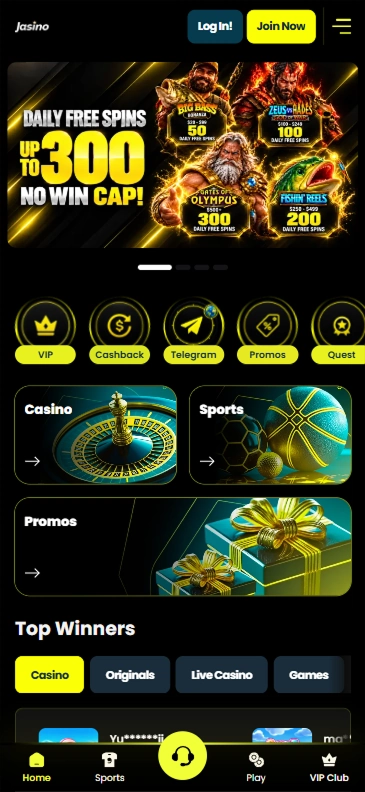
The main page covers the site’s gaming categories, sports betting and wallet features.
Managing payments from a smartphone
The mobile cashier supports the main transactions involving conventional money and cryptocurrencies.
Supported bank cards, Apple Pay, Google Pay and digital assets are available for adding funds.
Deposit Crypto is used to transfer coins, Buy Crypto allows users to purchase them, and Swap handles exchanges between supported assets.
When transferring funds from an external crypto wallet, copying the recipient address can make the process easier. However, both the selected coin and blockchain network must be checked carefully before sending anything.
AUD is available in the wallet settings, allowing balances to be displayed in Australian dollars. The terms of each payment should still be checked in the cashier before confirmation.
Withdraw provides a separate form for requesting payouts. The available withdrawal methods depend on the conditions of the particular transaction.
Promotions and personal rewards on mobile
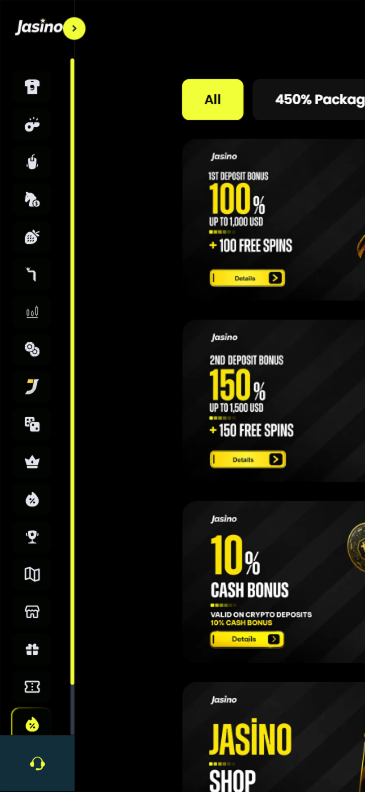
The welcome package, Daily Free Spins, cashback and other offers can be accessed through the mobile promotions section.
Using a smartphone doesn’t change their conditions. Wagering requirements and restrictions are tied to the player’s profile rather than the device being used.
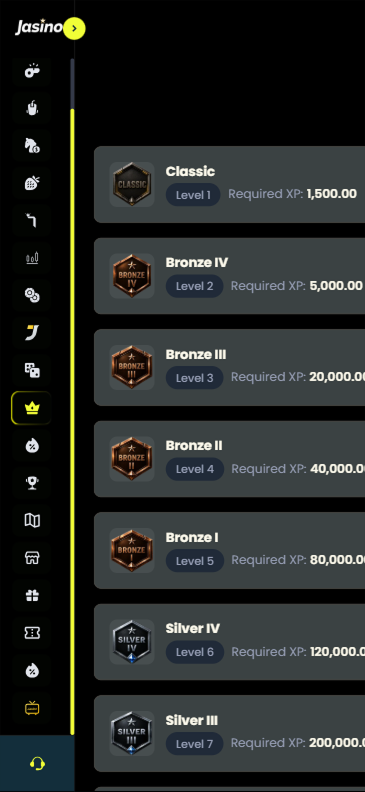
Challenges also work through the same profile. For example, Daily Login counts eligible visits, while accumulated XP contributes towards progress in the loyalty programme.
If an offer limits which titles qualify or how much can be wagered, those restrictions continue to apply on mobile.
For that reason, it’s worth opening the full promotional terms on the phone before activating an offer.
Updates and technical issues
The mobile site receives updates through the web service. Most changes don’t require users to download or install new files manually.
If a title stops loading, the first step is to check the internet connection and refresh the page. If the problem continues, it’s worth making sure the browser is up to date.
Clearing cookies may help resolve sign-in or display problems, but it can also end the current session.
Installing a PWA or adding a home screen shortcut doesn’t automatically enable system push notifications. Their availability depends on how the web app is implemented and the device’s settings.
For problems involving payments or access to personal details, Live chat is available through the mobile interface.